1.1 Getting Started with DustMagic
DustMagic in three minutes — system requirements, install steps for Windows and Mac, first launch, and what comes next.
Guides and documentation to help you get the most out of DustMagic.
DustMagic in three minutes — system requirements, install steps for Windows and Mac, first launch, and what comes next.
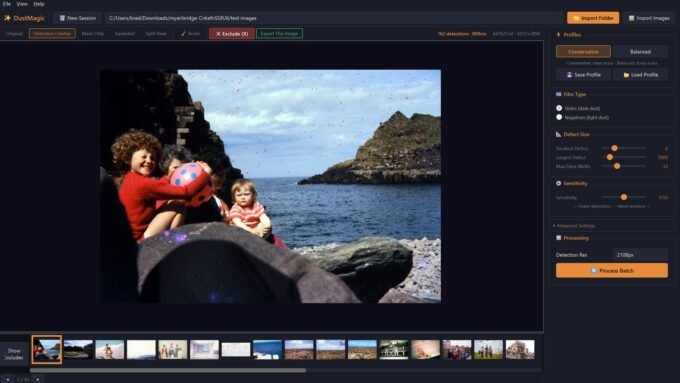
The fastest path from a folder of scans to a folder of cleaned files: import, choose dark or light dust, review with the view modes, click Process Batch.
Install the free Lightroom Classic plugin from Help → Lightroom Integration, add the Photoshop script, and use any other editor, such as Capture One, through TIFF files.
The free trial — unlimited images, watermarked exports — and the $59 12-month license that removes the watermark. Plus activation, moving computers, and troubleshooting.
The built-in Conservative profile plus your own saved profiles. Snapshot every detection setting and recall it in one click.
The five DustMagic view modes — Original, Detection Overlay, Mask Only, Inpainted, and Split View — and how to use them while tuning a folder.
Quick reference to every control in DustMagic — Profiles, dark or light dust (Film Type), Defect Size, Sensitivity, Advanced Settings, and Detection Resolution.
Install the bundled Lightroom Classic plugin from inside DustMagic, then send photos for cleaning straight from Lightroom’s Plug-in Extras menu.
Use DustMagic in Photoshop through its included script, and with any other editor, such as Capture One, through TIFF files.
DustMagic writes cleaned files to a `cleaned/` subfolder — originals are never modified. Review detection masks in-app with overlay, Mask Only, and Split View.