This is the fastest path from a folder of scans to a folder of cleaned files.
1. Import Your Scans
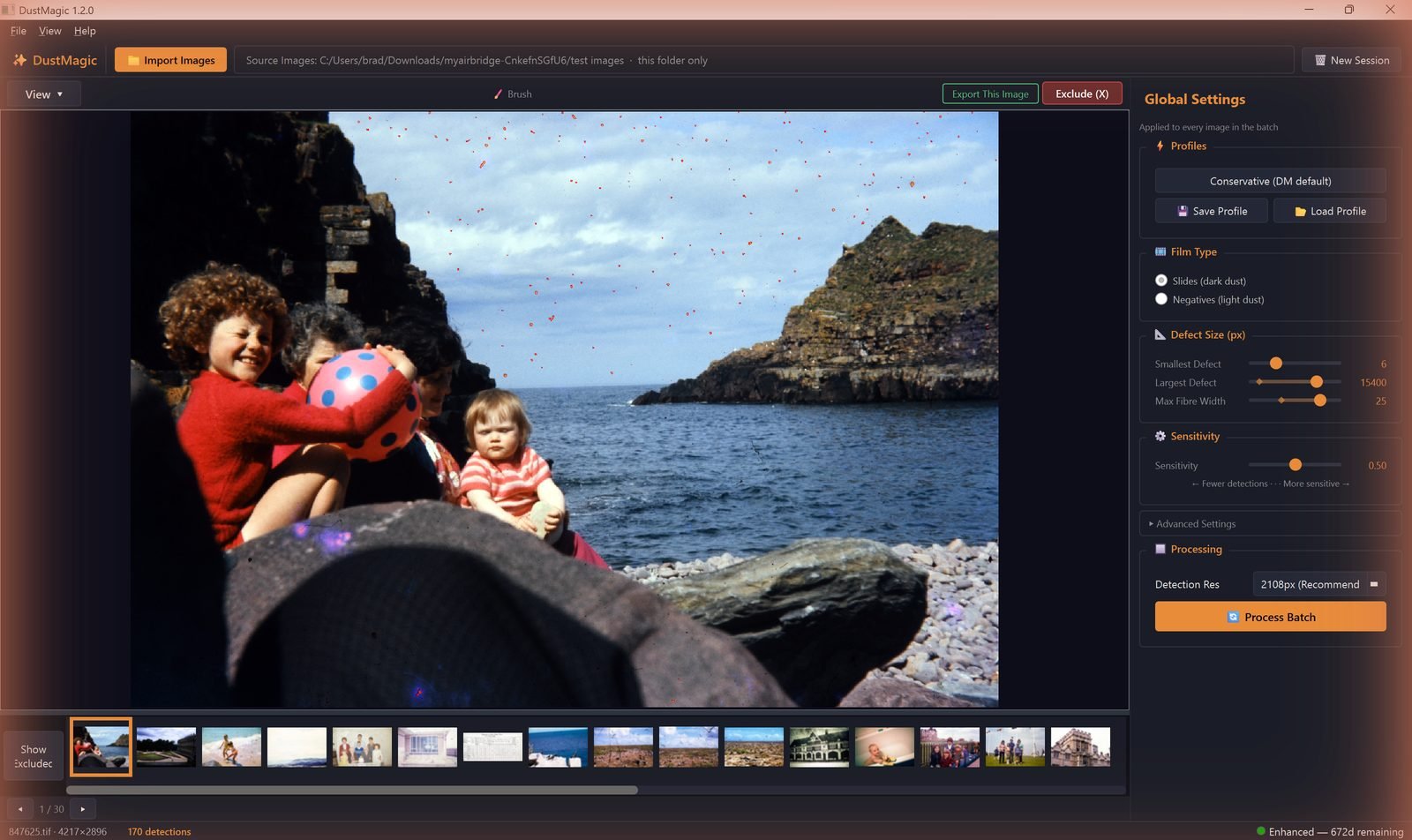
- Click 📁 Import Images (or press Ctrl+I) and choose how to import: a folder, a folder and its subfolders, or selected images. DustMagic loads the JPEG and TIFF files (8-bit and 16-bit) into the filmstrip at the bottom.
- The toolbar shows the source folder path; re-open recent folders from File → Recent Folders.
- Detection runs automatically on the first image using the Conservative profile.
2. Choose Dark or Light Dust
Look at your scan: does the dust show up dark or light? In the Film Type box of the Global Settings panel, choose:
- Slides (dark dust) — when dust looks dark on screen.
- Negatives (light dust) — when dust looks light on screen.
Despite the labels, choose by how the dust looks, not by what the film was. If you scanned negatives, convert them to positives first. This is the most important setting: get it wrong and detection will be useless.
3. Review the First Image
- Press 2 for Detection Overlay (red shows what will be removed).
- Press 4 for Inpainted to preview the cleaned result.
- Press 5 for Split View — sweep the divider with your mouse.
- If the result looks right, you’re ready to process the batch. If not, tune Sensitivity in the panel.
4. Process Batch
- Click the orange Process Batch button at the bottom of the panel.
- A confirmation shows the image count and the output folder before anything runs.
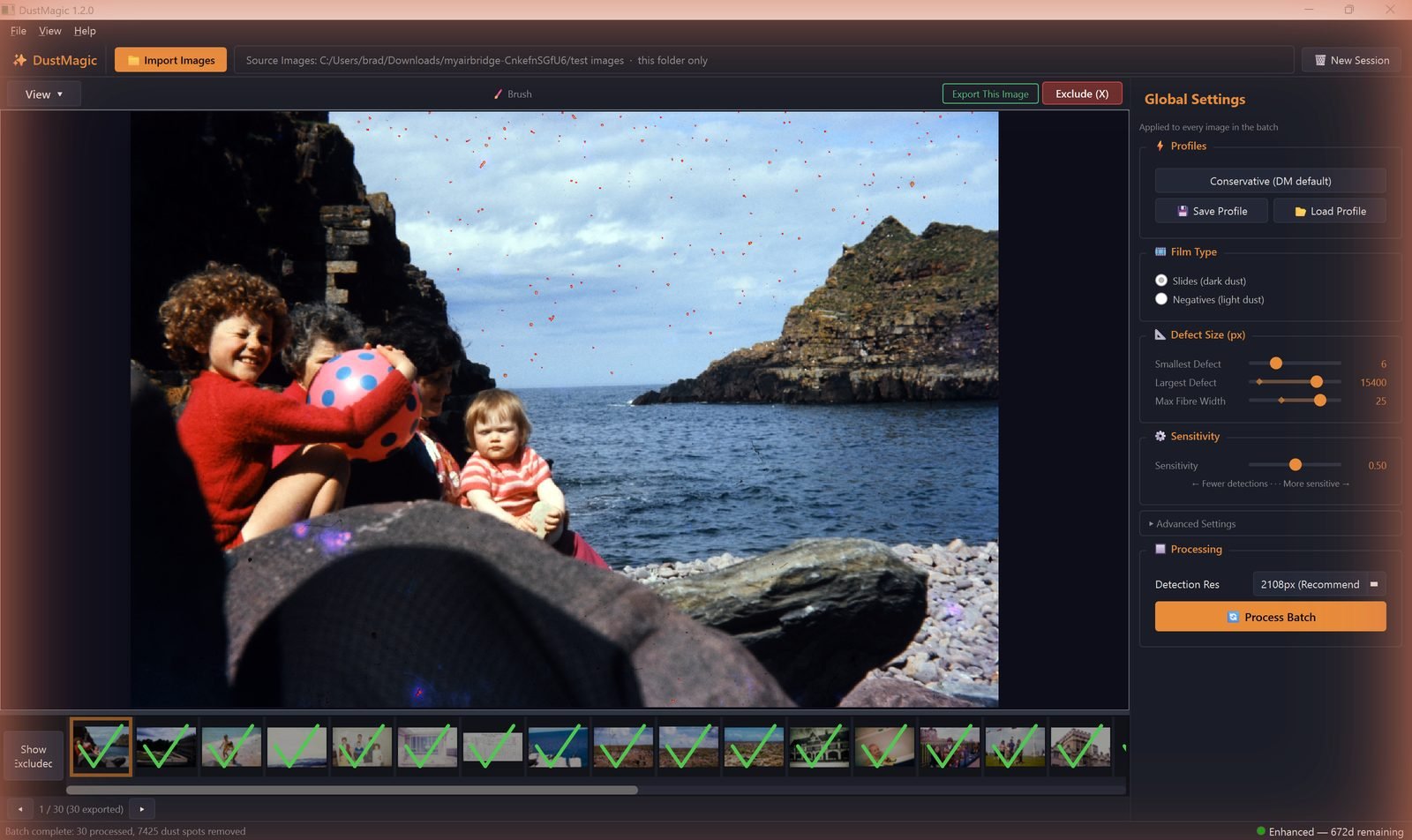
- DustMagic cleans every image in parallel across your CPU cores. The progress bar reports images done, dust spots removed, and time remaining — and you can halt with Stop Batch at any point.
- Each finished image gets a green tick on its filmstrip thumbnail.
5. Find Your Output
- Cleaned files:
cleaned/subfolder inside your source folder, with the same file names, metadata and ICC profile. - Dust masks: view them in the app with Mask Only (key 3) and Split View. Mask files are not saved.
- Originals are untouched.
- In trial mode, every exported image carries a watermark — activating a license removes it.
If Some Images Need Manual Touch-Up
Arrow through the filmstrip with ← →. For an image that needs fixing, press B for the Smart Brush Tool (the Brush toggle in the toolbar), then click Export This Image to save it individually before running Process Batch on the rest. Full walkthrough in 4.1: Cleaning Scanned Film Photos.
Next Steps
- Tune detection — 2.3: All Settings Explained.
- Save your tuned settings — 2.1: DustMagic Profiles Explained.
- Manual touch-ups — 4.1: Cleaning Scanned Film Photos.