Series 1: Getting Started & Setup
1.1 Getting Started with DustMagic
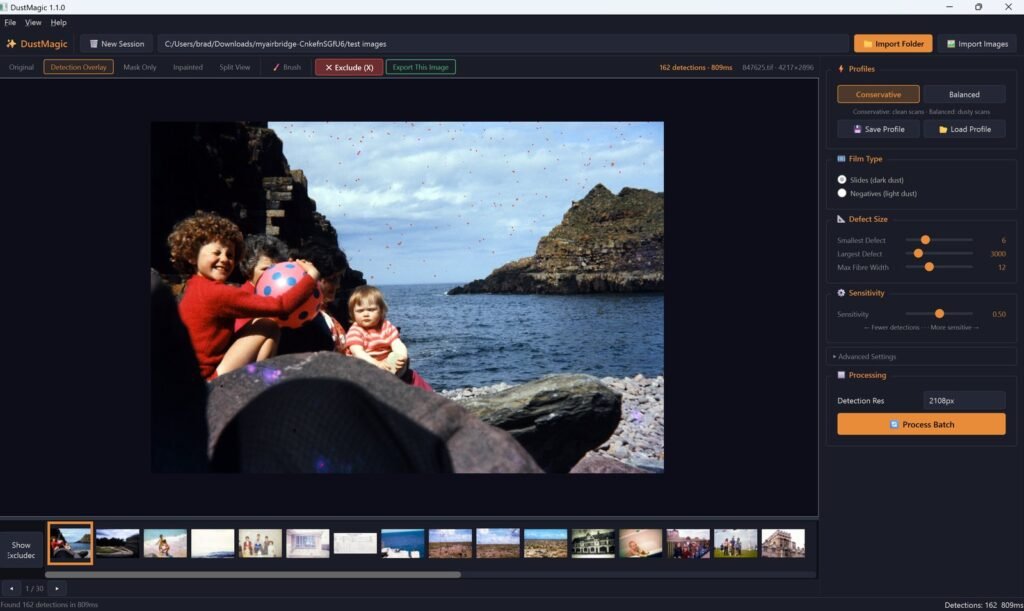
DustMagic in three minutes — system requirements, install steps for Windows and Mac, first launch, and what comes next.
Product guides, scanning tips, and tutorials for getting the most out of DustMagic.
DustMagic in three minutes — system requirements, install steps for Windows and Mac, first launch, and what comes next.
The fastest path from a folder of scans to a folder of cleaned files: import, choose dark or light dust, review with the view modes, click Process Batch.
Install the free Lightroom Classic plugin from Help → Lightroom Integration, add the Photoshop script, and use any other editor, such as Capture One, through TIFF files.
The free trial — unlimited images, watermarked exports — and the $59 12-month license that removes the watermark. Plus activation, moving computers, and troubleshooting.
A head-to-head comparison of DustMagic and Lightroom’s spot removal tool for cleaning film scans — where each one earns its place and where the volume wall hits.
The end-to-end workflow for batch-removing dust from hundreds or thousands of scanned photos — folder structure, presets, quality-control, and pitfalls to avoid.
Lightroom Classic’s Dust tool is built for camera sensor spots. Dust on film and slide scans is different on every frame. Here’s how DustMagic cleans a whole folder in one pass, with a Smart Brush for touch-ups.