DustMagic offers a free trial with unlimited images (exported images are watermarked) and a $59 12-month license that removes the watermark. One payment, no auto-renewal.
Trial and License
- Trial — the full app with unlimited images and batch processing, no time limit. Results on screen are not watermarked; exported images carry a watermark. Use this to evaluate DustMagic on your own scans and your own computer.
- 12-month license — $59. Removes the watermark and includes unlimited batch processing and every update released during your 12 months. Support is by email and the knowledge base.
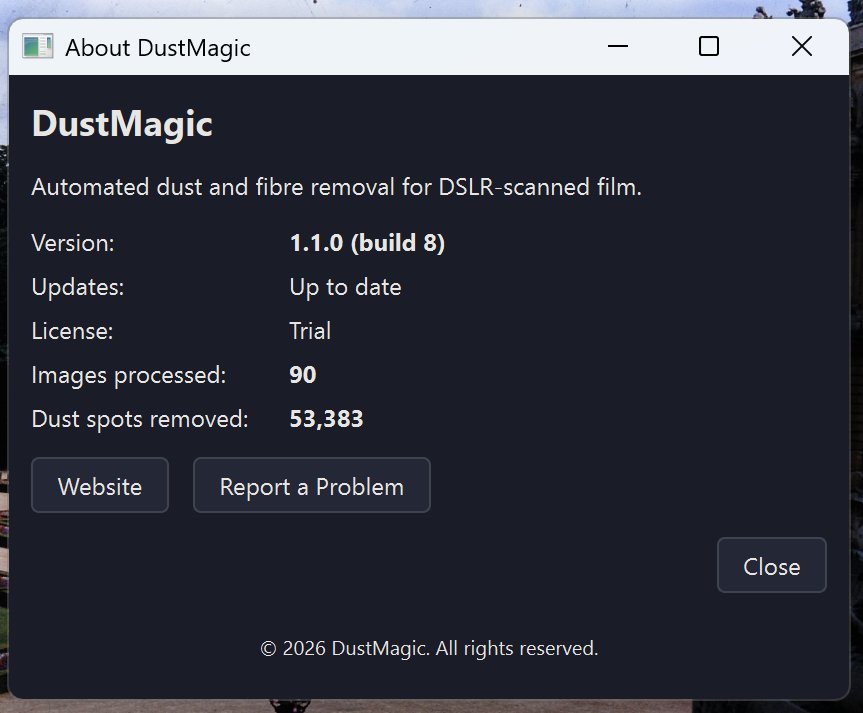
Your current state is shown in Help → About DustMagic.
Activate a License
If you’ve purchased a key, paste it into the activation dialog when DustMagic prompts you, or open it later from Help → Manage License.
- Keys are case-sensitive — copy them straight from the purchase email.
- Activation requires an internet connection. After that, DustMagic checks your license online when it starts and keeps working for up to 14 days without a connection.
When Your 12 Months End
- DustMagic keeps working. You can still process images one at a time, with no watermark.
- Batch processing turns off, and new updates stop, until you buy another 12-month license.
- Your settings and profiles are kept.
Moving to a New Computer
A license works on one computer at a time. To move it:
- On the old computer, open Help → Manage License and deactivate.
- On the new computer, install DustMagic and activate with the same key.
If you can’t deactivate the old computer (for example it has died), email support with your license key and we’ll help.
Troubleshooting
- “Invalid key” — re-copy from the email; trim whitespace.
- “Activation server unavailable” — check your internet connection or firewall; try again.
For anything else, Help → Report a Problem opens an email to support.
Next Steps
- Process your first batch — 1.2: Your First Batch.
- Tune detection — 2.3: All Settings Explained.