Kodachrome slides are some of the most treasured images in any family archive, and some of the hardest to scan cleanly. Decades in carousels and boxes leave dust, fibers and hairs on almost every slide. The infrared cleaning that rescues other color film often can’t be trusted on Kodachrome.
Why infrared cleaning struggles with Kodachrome
Infrared dust removal (Digital ICE, SilverFast iSRD, VueScan’s Infrared clean) works by scanning with infrared light, which passes through normal color dyes but not through dust. Kodachrome is different:
- Nikon advised against Digital ICE on Kodachrome with some Coolscan models. On others, where a Kodachrome setting exists, it warned that “blurring or localized loss of detail may occasionally result” (Nikon Scan manual).
- LaserSoft says Kodachrome’s dense emulsion makes infrared detection harder, and SilverFast switches to a Kodachrome-optimized iSRD engine for it (SilverFast iSRD).
- Camera scanning captures no infrared at all, so it offers no infrared cleaning for any film.
If your scanner has a Kodachrome mode, test it on a few slides at 100% before trusting it with a whole box. Background: What is Digital ICE?
Your options
- Clean the slides first. Use a blower and a soft anti-static brush, handle slides by the mount, and don’t rub the emulsion.
- Use your scanner’s Kodachrome infrared mode, if it has one, and check the results closely.
- Heal by hand in Photoshop or Lightroom. Fine for a handful, but a carousel of 80 slides can take days.
- Batch dust removal with DustMagic, which supports Kodachrome scans.
Cleaning Kodachrome scans with DustMagic
- Scan to TIFF (16-bit if you can) or JPEG, with your scanner’s own dust removal turned off.
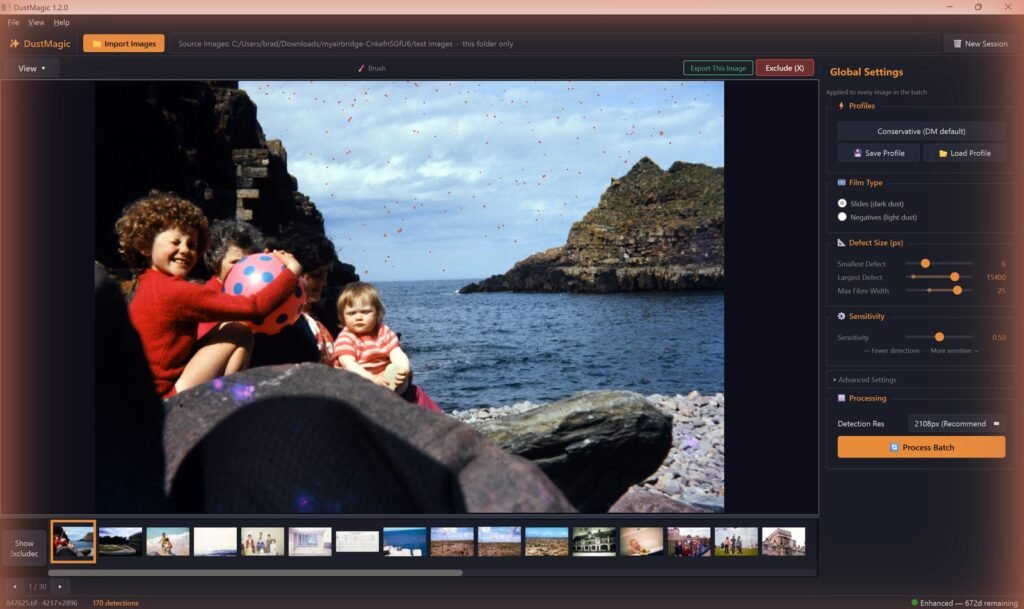
- Import the folder and choose dark dust (Slides (dark dust)).
- Check the red Detection Overlay, especially in Kodachrome’s deep shadows, and sweep the Split View across faces.
- Missing faint specks? Nudge Sensitivity to the right. Then click Save Profile and call it “Kodachrome” so the next box is one click.
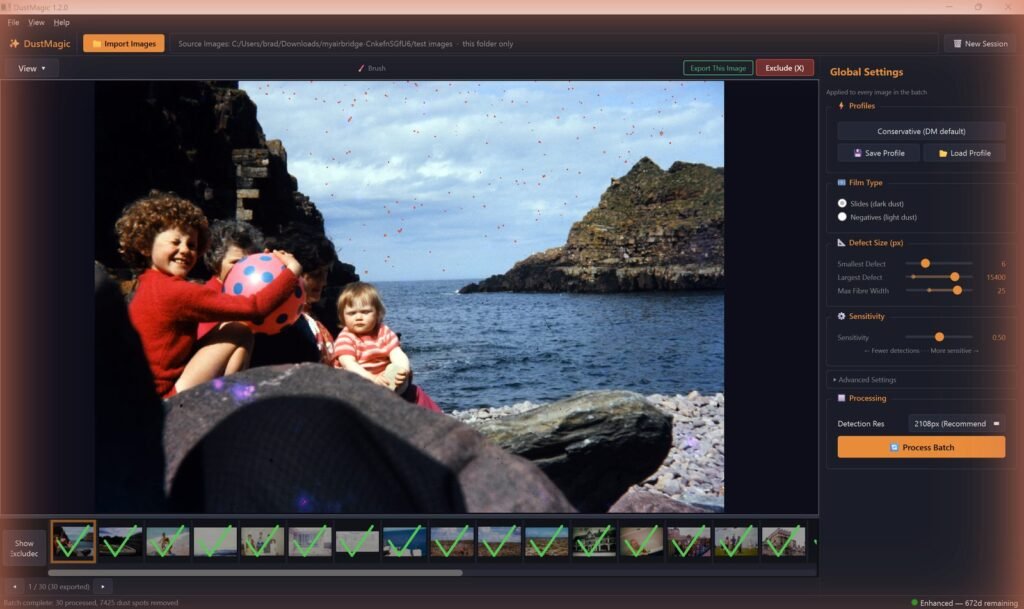
- Click Process Batch. Cleaned copies go to a
cleanedsubfolder and your originals are never modified.
Scanning a whole family collection? Our archive workflow for 1,000+ slides covers naming, batching and checking at volume.
Scanning Kodachrome in the first place
- Dedicated film scanner: check whether its infrared cleaning has a Kodachrome mode, and test it. See Plustek 8100 vs 8200i if you’re choosing one.
- Camera scanning: fast and sharp, with no infrared, so pair it with software dust removal. See dust removal for camera scanning.
- Budget slide scanners such as the Kodak Slide N Scan: quick for big collections, with no dust removal built in.
FAQ
Does Digital ICE work on Kodachrome?
It depends on the scanner. Some Nikon models weren’t recommended for it, others had a Kodachrome setting with warnings about softened detail, and SilverFast uses a Kodachrome-optimized iSRD mode. Test before you trust it.
Does DustMagic work on Kodachrome?
Yes. It works on Kodachrome scans saved as TIFF or JPEG, from a scanner or a camera.
What about black-and-white slides and negatives?
Yes. Chromogenic black-and-white film (Ilford XP2, Kodak BW400CN) and traditional silver black-and-white film both work.
Will it remove scratches too?
DustMagic is built for dust, fibers and hairs. Scratches aren’t removed automatically: touch them up by hand with the Smart Brush.
Try it on your own scans
The free trial processes unlimited images, full batches included, with a watermark on the output. If you like the results, a 12-month license ($59) removes the watermark. Windows and Mac.