Scaling DustMagic from one folder to thousands of images. Three principles: tune cheap, batch big, verify smart.
Tune Cheap
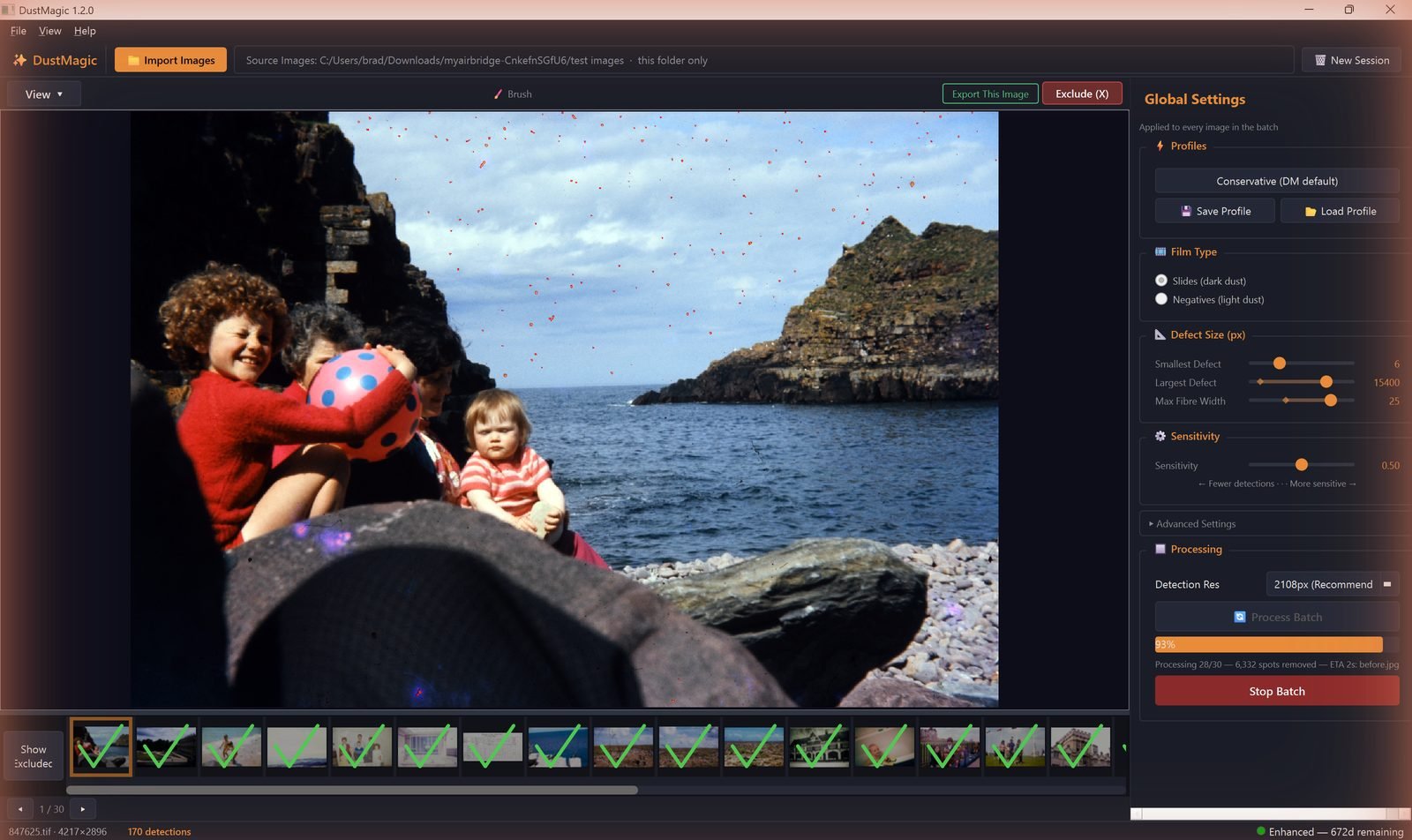
Detection re-runs on every image as you arrow through. On a 100-megapixel scan that adds up. Use Detection Res to keep tuning fast.
- Pick a lower value in the Detection Res dropdown while you’re tuning settings on representative images. Output is always saved at full resolution — only detection runs at the lower res.
- Once your profile is dialled in, set Detection Res back to the recommended value (it’s marked against your scan’s resolution) for the actual batch run.
Batch Big
DustMagic uses every CPU core in parallel during Process Batch — there’s no thread setting to tune. To get the most out of this:
- Group scans into folders by profile — same film stock, same era, same scanner. One profile per folder.
- Process each folder in turn rather than mixing dark-dust and light-dust scans in one folder.
- Run overnight or during work hours when the machine is otherwise free.
Verify Smart
- Sample, don’t open every file. Spot-check 5–10 random files from each batch — start, middle, end.
- Use Mask Only (key 3). Faster than scrolling through cleaned images. False positives appear as repeating patterns across images; clusters along edges suggest film holder marks rather than dust.
- Review masks in-app. If you spot a problem image, open its detection mask with Mask Only (key 3) or Split View and zoom up to 20×.
Triage with Exclude/Include
If a batch contains a few problem images, you don’t have to fix them all up front:
- Press X on the current image to exclude it from Process Batch (red cross appears on the filmstrip).
- Press S to include it again.
- Right-click any filmstrip thumbnail to toggle exclusion.
- Process the clean run, then come back to the excluded images and brush-edit them individually with Export This Image — exported images get a green tick on the filmstrip.
Folder Structure for Large Archives
A workable layout for a 1000+ image archive:
Archive/Roll-001-Kodachrome/— original scansArchive/Roll-001-Kodachrome/cleaned/— DustMagic output- One DustMagic profile per film stock or scanner setup, saved with a descriptive name.
Hardware Notes
- DustMagic is CPU-bound. More cores = faster batches; clock speed matters less than you’d think.
- 16 GB RAM comfortably handles batches of 100+ MP scans.
- SSDs help — slow disks become the bottleneck on very large folders.
Next Steps
- Save a per-stock recipe — 4.4: Saving & Loading Custom Profiles.
- Something looks wrong on a batch — 5.4: Troubleshooting Bad Results.