See the difference
Drop your scans in.
Get clean images out.
The dust mask shows exactly what was removed on every image.
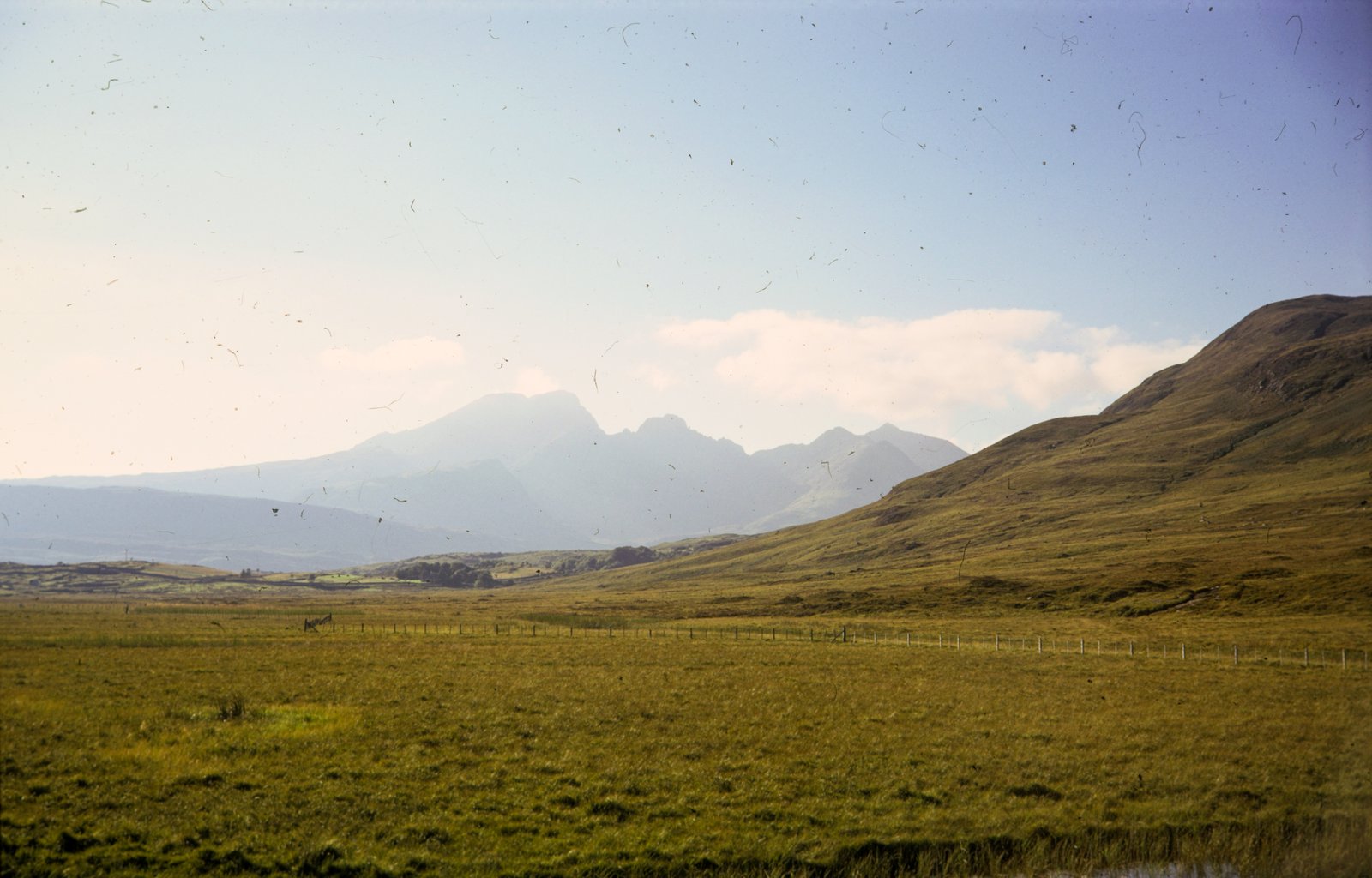

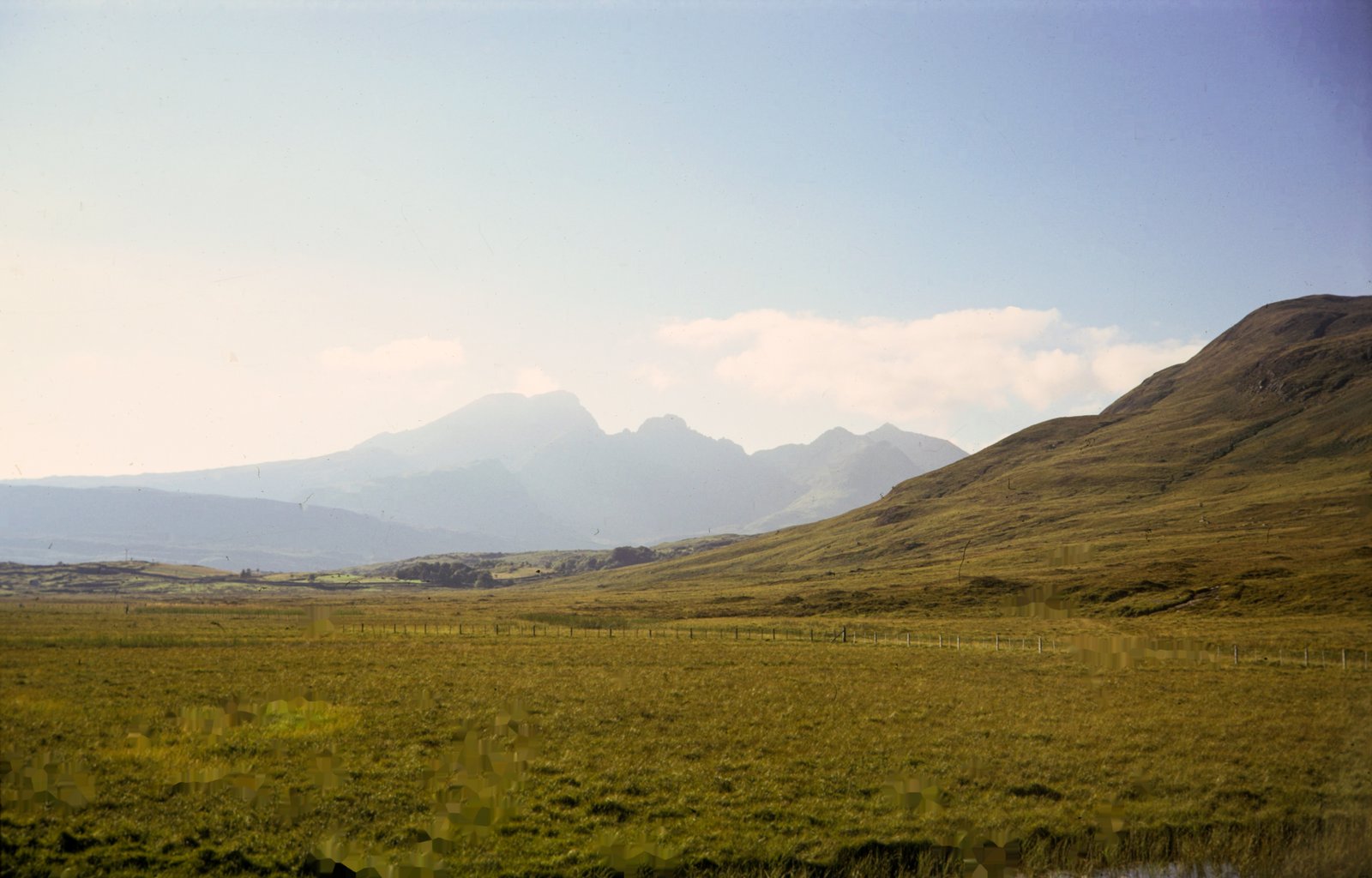
408 dust spots removed
Batch dust removal for film scans, built for dust that lands somewhere different on every frame.
For flatbed, film scanner and camera scans.
See how fast DustMagic processes a real folder of dusty scans from start to finish.
The dust mask shows exactly what was removed on every image.
Tune the settings for a folder of 50, 500 or 5,000 scans. DustMagic processes every image in parallel using all your CPU cores.
Smart detection is trained on real film scans to tell dust and hairs from grain and image detail. It runs on your own computer, using an Apple silicon Mac’s Neural Engine or a PC’s graphics card where there is one, and a single Sensitivity slider sets how much it takes.
Keeps full resolution and bit depth, even for large files. Detects dark or light dust.
Adjust detection on one image with instant visual feedback, then apply it to the whole batch. Save your settings as a profile to reuse on future runs.
See the dust mask for every image in the app. Overlay, split view and zoom up to 30x.
Click a missed speck to add it, right-click a false detection to remove it, then export. Drag along a hair to take all of it, or paint over a scratch by hand.
Works directly on your saved images or from within Lightroom or Photoshop.
Point DustMagic at your scans: TIFF or JPEG, a folder, and optionally its subfolders.
Dial in detection settings on one image, preview and adjust on a few more. When it looks right, click Process Batch.
Cleaned files go to a ‘cleaned’ subfolder with the same file names, metadata and ICC profile. Originals are never modified. Review with overlay, split or mask views, then carry on in your editor.
| Where you clean | How it works | Batch? | Works with |
|---|---|---|---|
| Before editing | Clean your TIFF or JPEG scans in the DustMagic app, then import them into your editor. | Batch? Yes | Works with Any editor |
| Inside Lightroom Classic | Free plugin, turned on from DustMagic’s Help menu. Cleaned copies come back into your catalog as “-Edit” files, stacked with the originals. | Batch? Yes | Works with Lightroom Classic |
| Inside Photoshop (included script) | Installed from DustMagic’s Help menu. Sends the open image, or all open images, to DustMagic and back. | Batch? Yes — all open images, or a folder with a Photoshop action | Works with Photoshop |
| After editing | Export TIFF or JPEG files from your editor, then clean them in the DustMagic app. | Batch? Yes | Works with Any editor |
RAW files (NEF, ARW, CR2 and similar) need to be developed and saved as TIFF or JPEG first.
Not a subscription: you pay once, and nothing renews or charges you again. 12 months of unlimited batch processing, plus single-image processing that never expires. Start free, no credit card needed.
Prices are in US dollars. Any sales tax or VAT for your region is added at checkout.
Exported images carry a watermark.
Download free trialFree $0 checkout. We email you the download link.
After 12 months DustMagic keeps working, one image at a time. Buy another 12-month license only if you want batch processing back.
Get DustMagic: $59 one-timeWindows 10 or 11, or macOS 12 or later (Apple silicon or Intel). 8 GB RAM, 16 GB recommended. Install size about 800 MB on Windows and 1 GB on Mac. You also need free space for a full copy of your cleaned images; keep the drive below about 85% full.
No graphics card needed, but Smart detection is much faster with one. On a Mac with Apple silicon (M1 or later) or a PC with a graphics card, it finds the dust in a typical scan in a few seconds; on the processor alone it takes from about 10 seconds to a minute, with older Intel Macs at the slow end. While you review one image, DustMagic works on the next ones, so the next image is often ready before you get to it.
As a guide, a PC with a 12th-gen Intel Core i5 and a graphics card cleaned about 7,000 slide scans (19-megapixel TIFFs) in 2 hours 20 minutes, about 50 a minute, with the default settings. Without the graphics card, the same processor cleans about 7 a minute. Speed depends on your computer and image size, so try it on your own scans with the free trial.
Spend your evenings on photographs, not dust spots.